Product tour
Ten short steps from the first certificate to your own vendor dashboard. Press play and listen, or read the captions and click through at your own pace.
No need to schedule a call.
Step 1 of 10
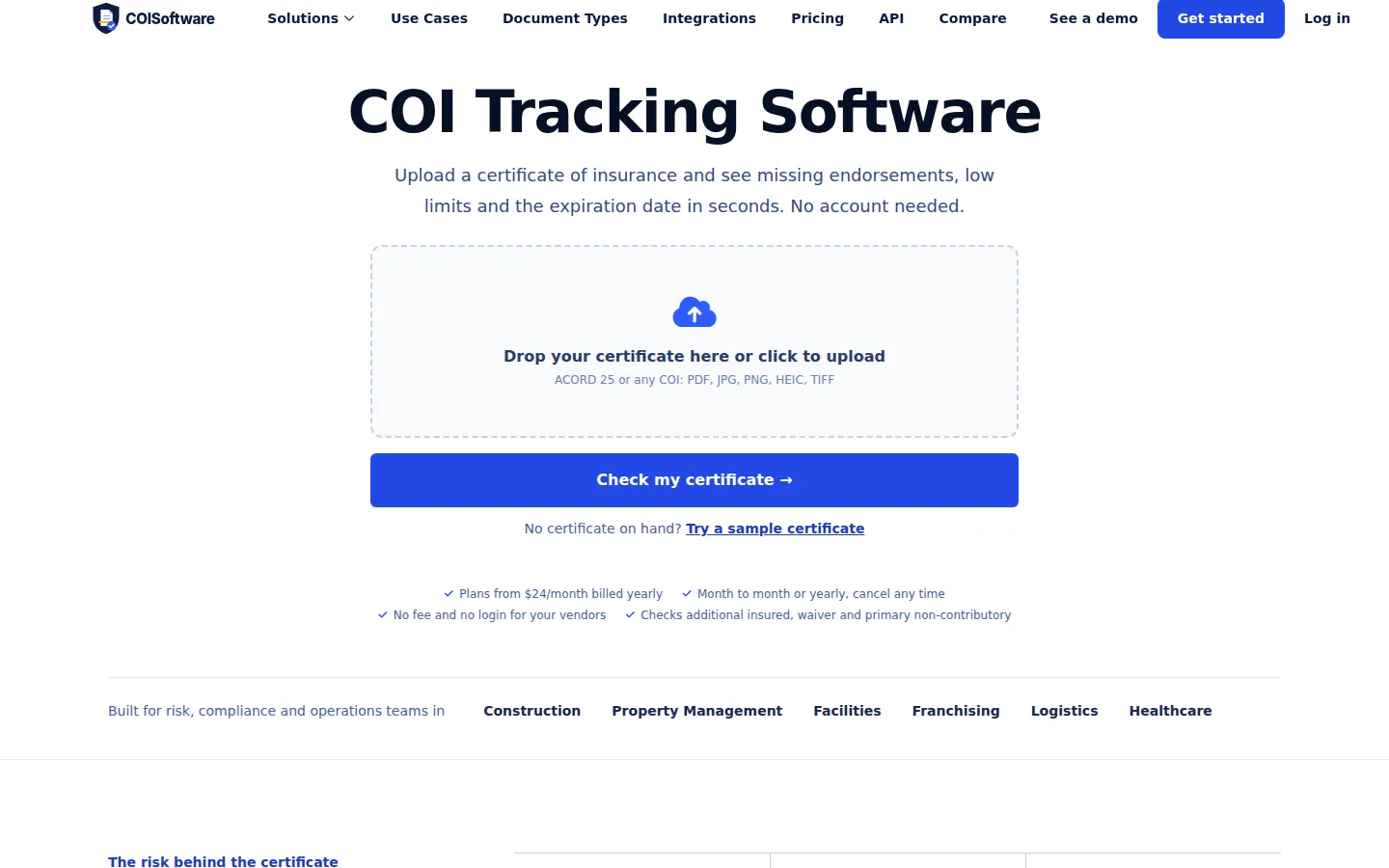
Start on the home page with a certificate you already have. PDF, scan or phone photo, no account needed.
Let's start with a certificate you already have. Drop a PDF, a scan or even a phone photo onto the home page. You do not need an account for this first try. In a few seconds you will see what is on that certificate, read the way a careful person would read it.
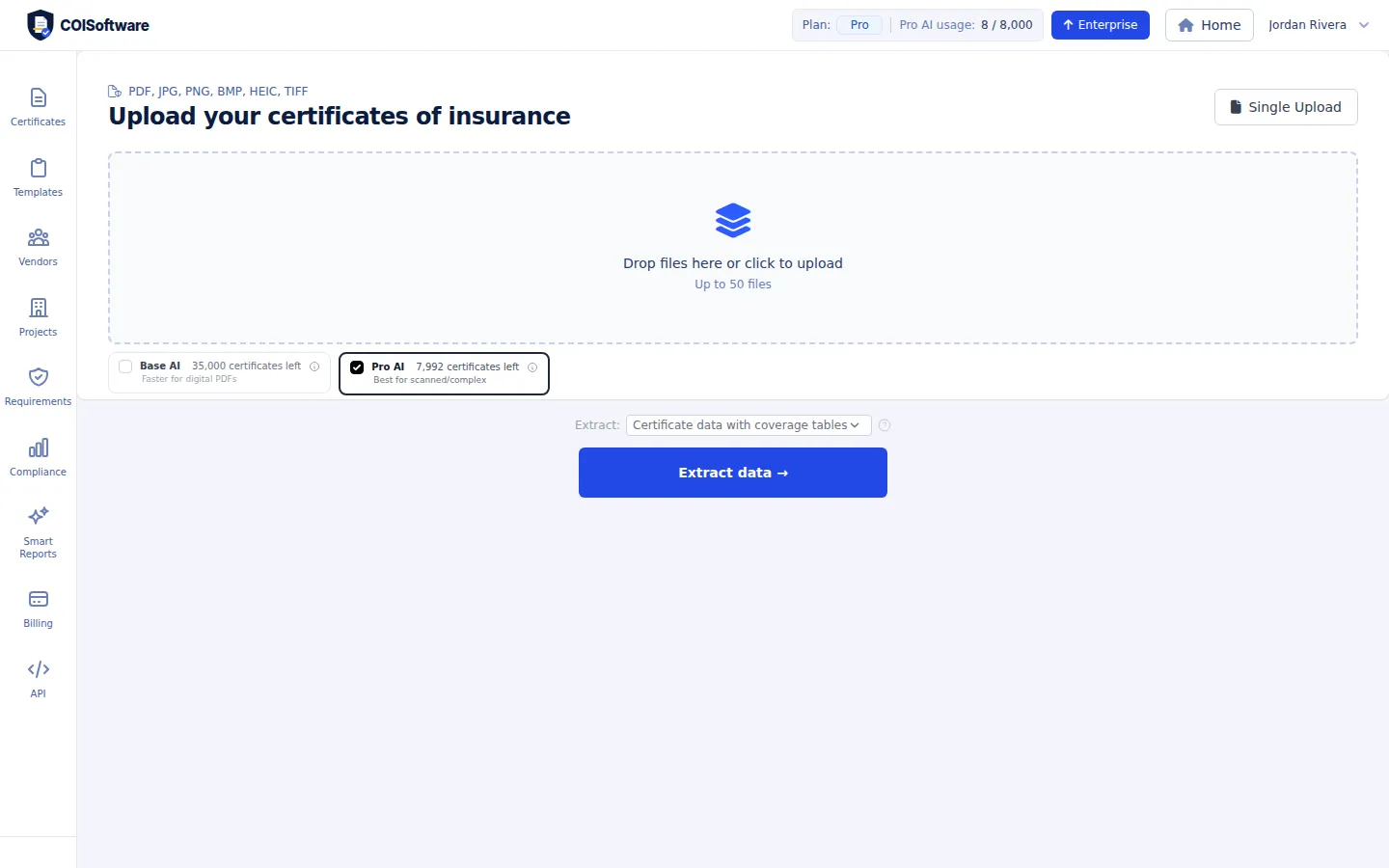
Inside your account, drop up to 50 files at once, choose the reading model, and extract them together.
Once you have an account, you can drop up to fifty files at once. Pick the reading model, press Extract data, and the whole stack is processed together. That is how you load a vendor list that has been sitting in a shared folder or an inbox for years.
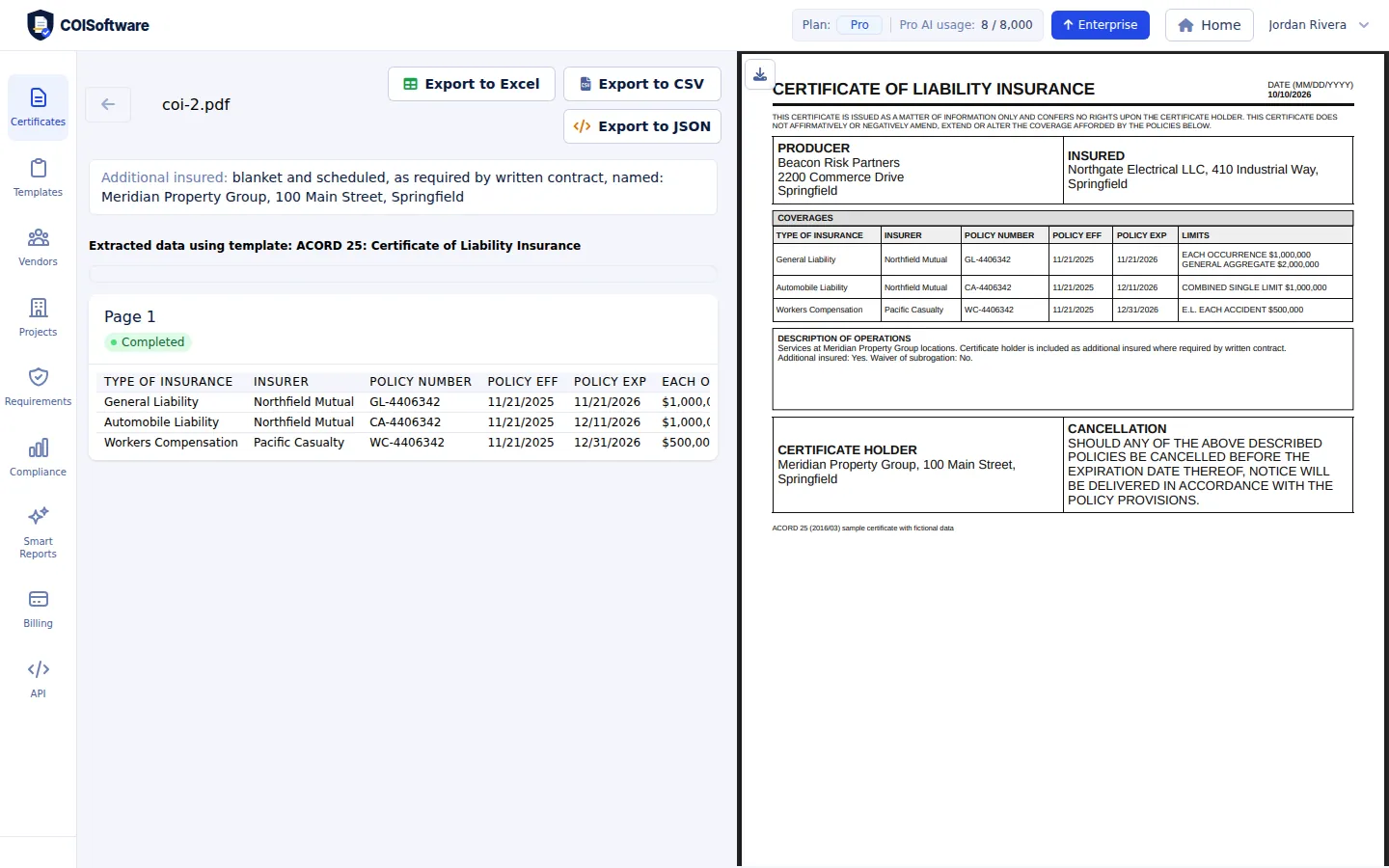
Insured, producer, certificate holder, policy numbers, effective and expiration dates, limits and endorsements, next to the original page.
Here is the result. Next to the original page you get the insured, the producer and the certificate holder. Every coverage line comes with its insurer, policy number, effective and expiration dates and its limits. Additional insured and waiver of subrogation are picked up too, so nobody has to retype a single field.
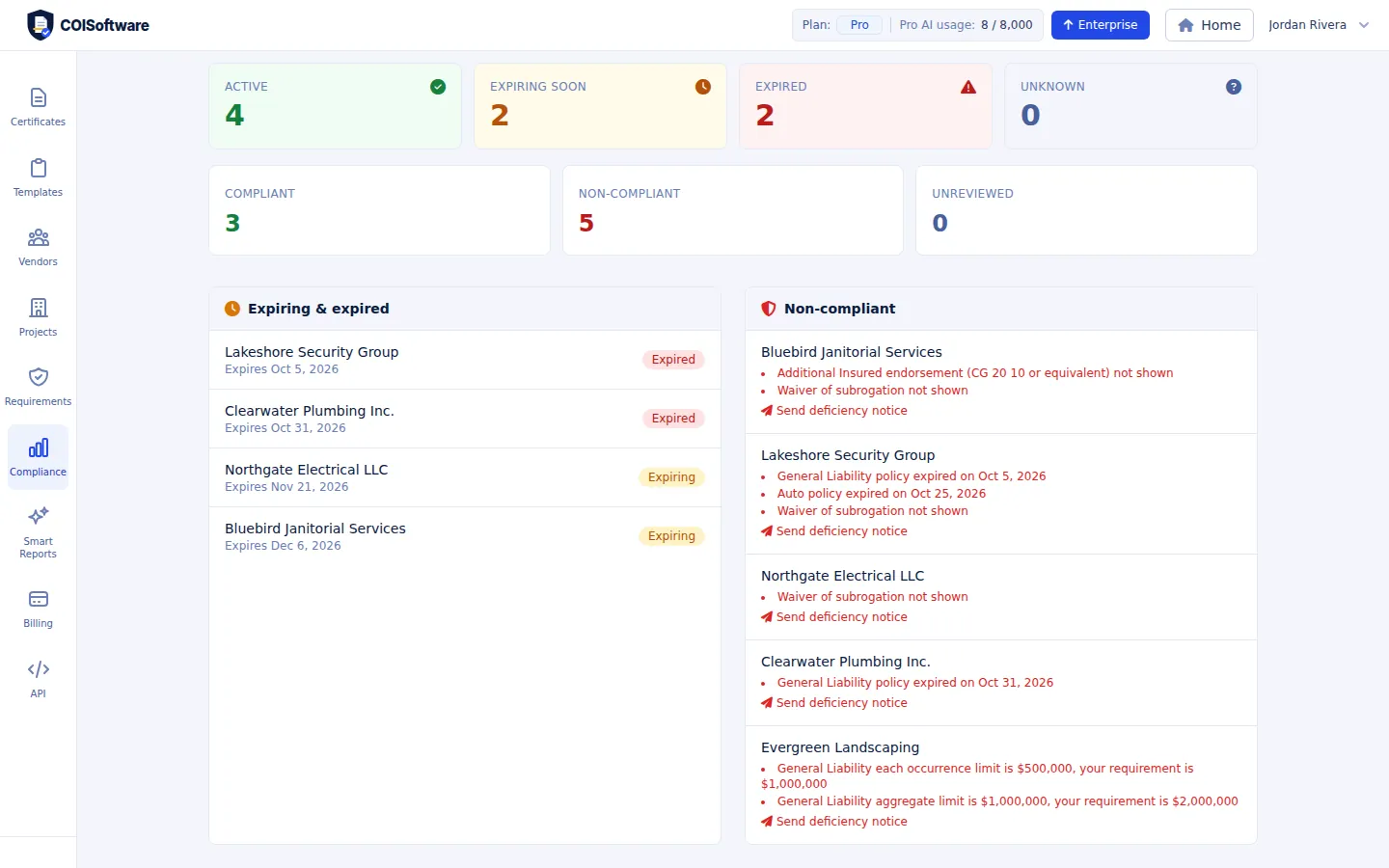
Set your minimum limits and endorsements once. Every certificate is checked and each gap is listed in plain words.
You set your minimum limits and required endorsements once. After that, every certificate is checked against them. The overview lists exactly what is wrong, for example a limit below the minimum, a policy that has expired, or a missing waiver of subrogation. No more guessing which vendors are covered.
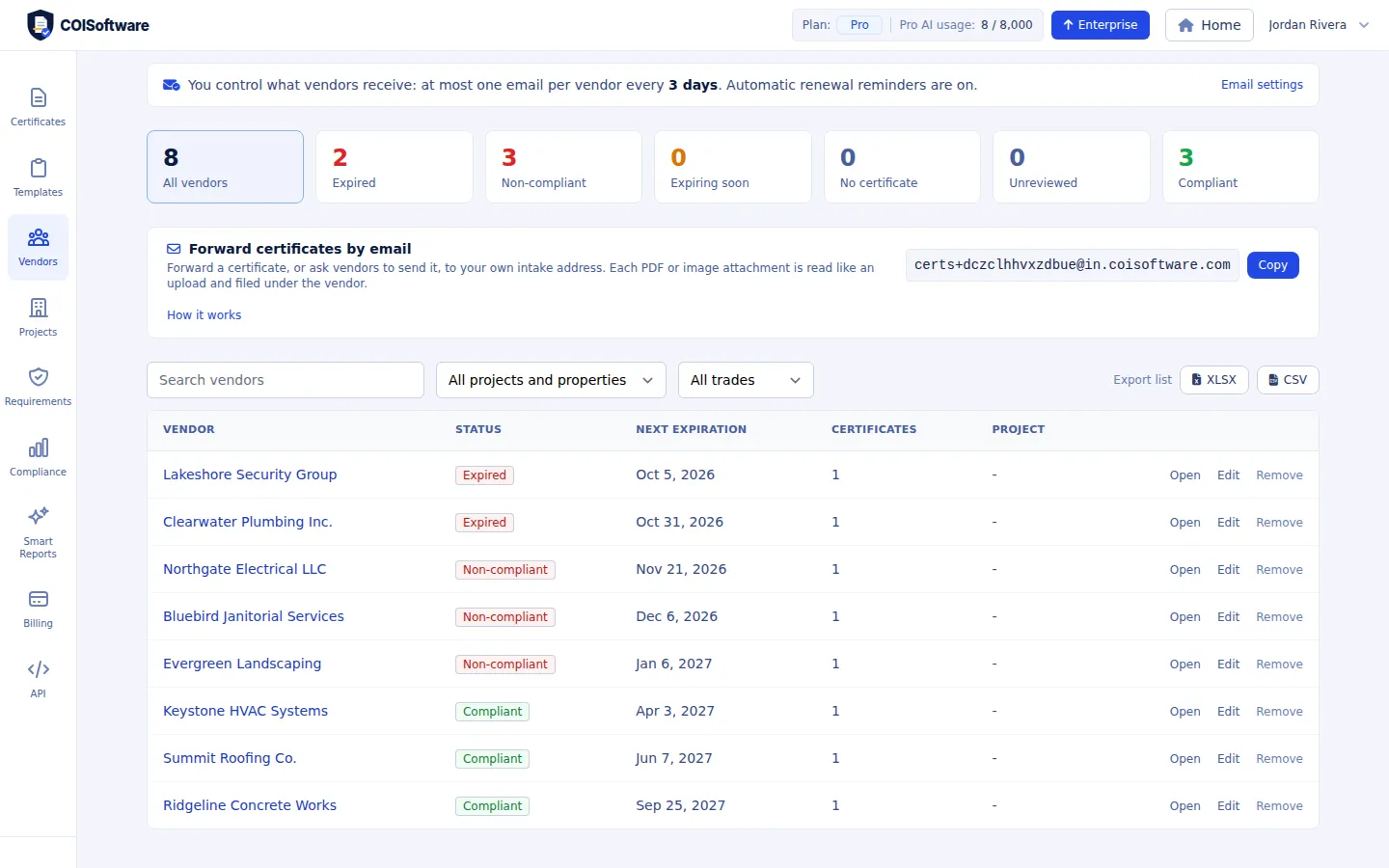
Each vendor has one record with a status and the next expiration date, so the people who are expired or deficient stand out.
Every vendor, subcontractor and tenant gets one record. The list shows a clear status and the next expiration date, so the expired and non compliant vendors are at the top and you can open any of them in one click.
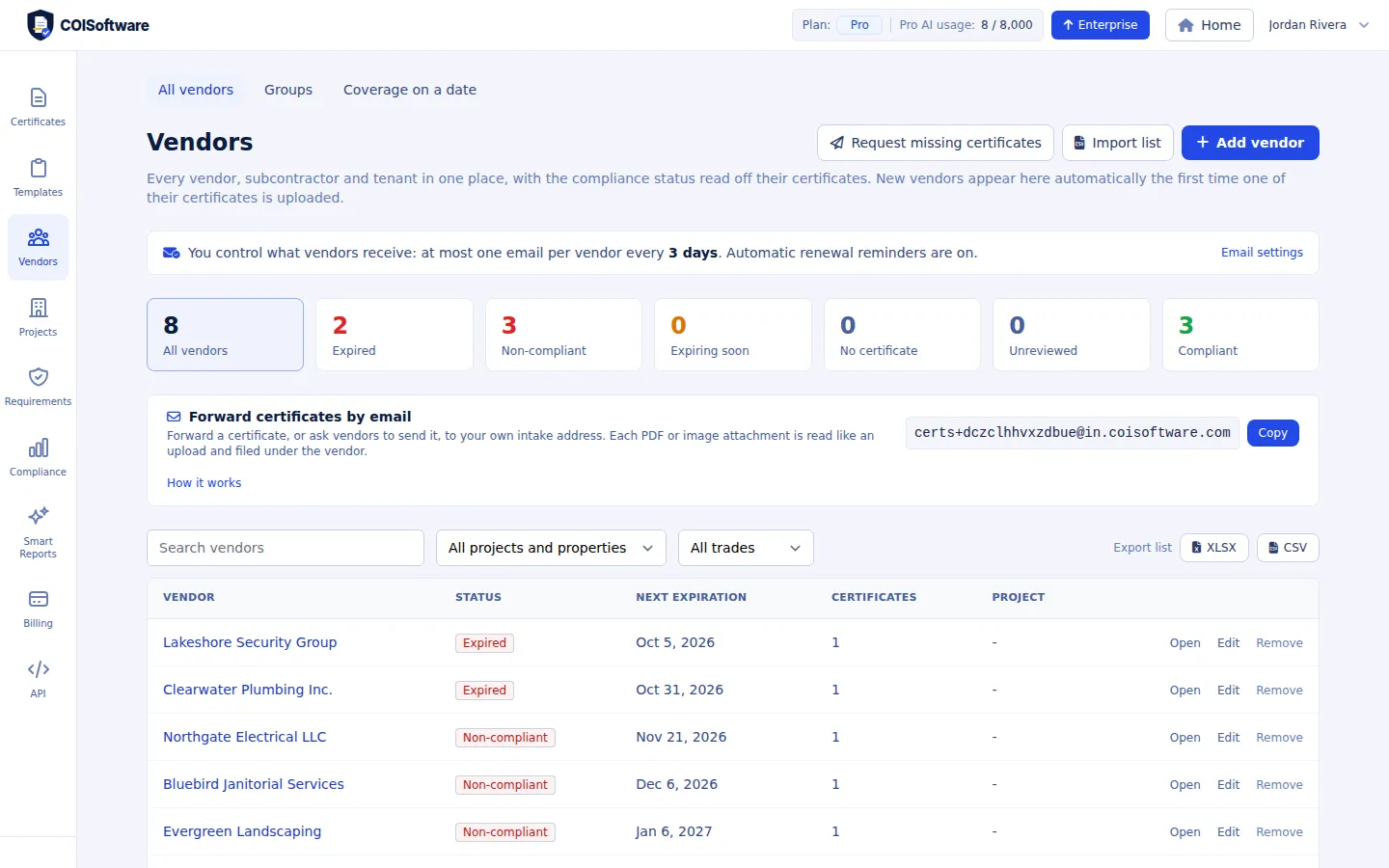
Renewal reminders go out at 60, 30 and 15 days before a policy expires, and again once it has expired, with a limit on how often a vendor is emailed.
Policies expire quietly, so the system watches the dates for you. Reminders go out sixty, thirty and fifteen days before a policy runs out, and again if it does expire. You also control how often a vendor can be emailed, so nobody gets flooded.
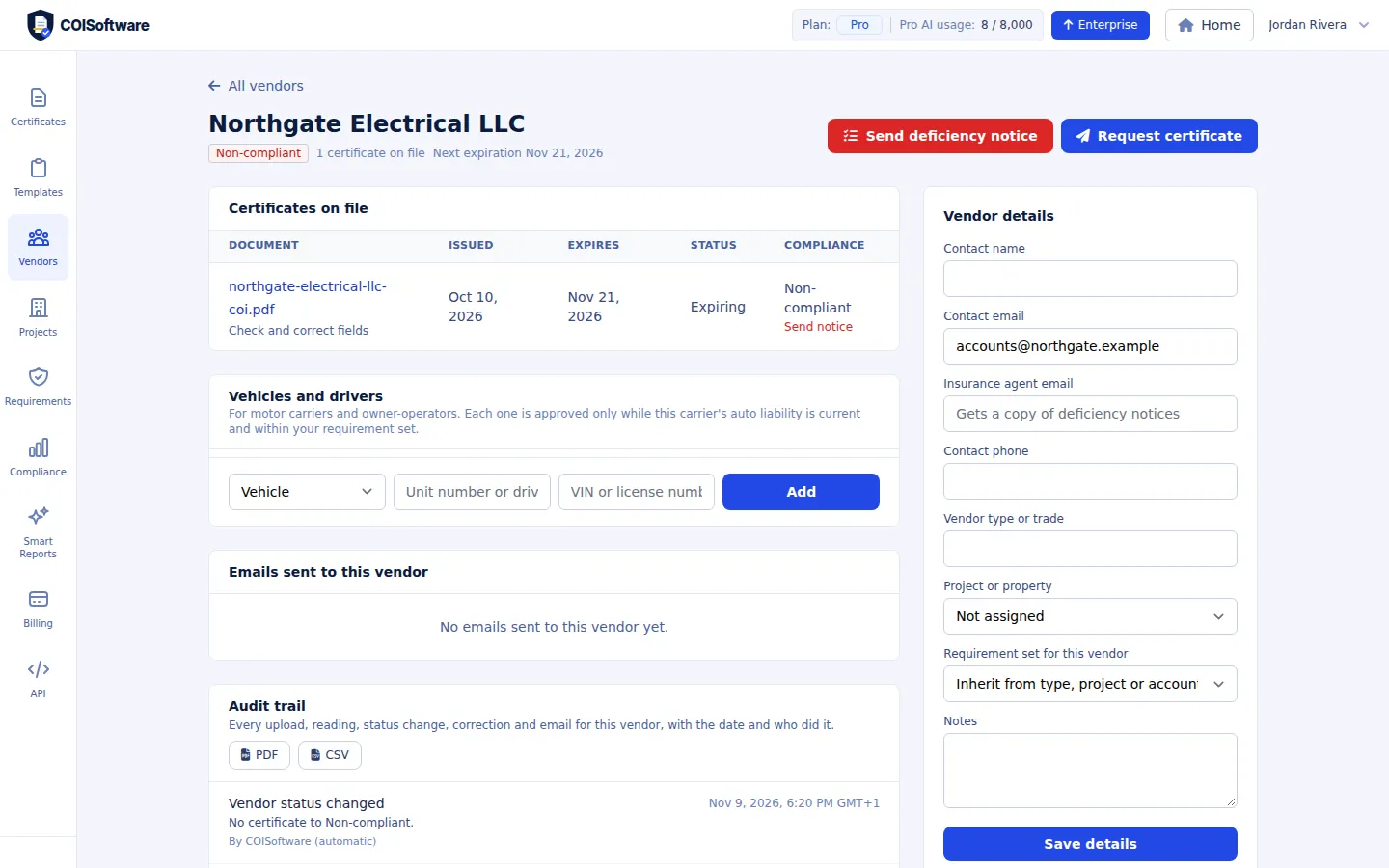
Send a request with a personal upload link. The vendor uploads the new certificate without logging in and it lands on their record.
When a certificate is missing or out of date, press Request certificate. The vendor receives an email with a personal upload link, and they do not need to log in or create an account. The new certificate is read the moment it arrives and lands on that vendor's record. You can also send a deficiency notice that spells out what needs to be fixed.
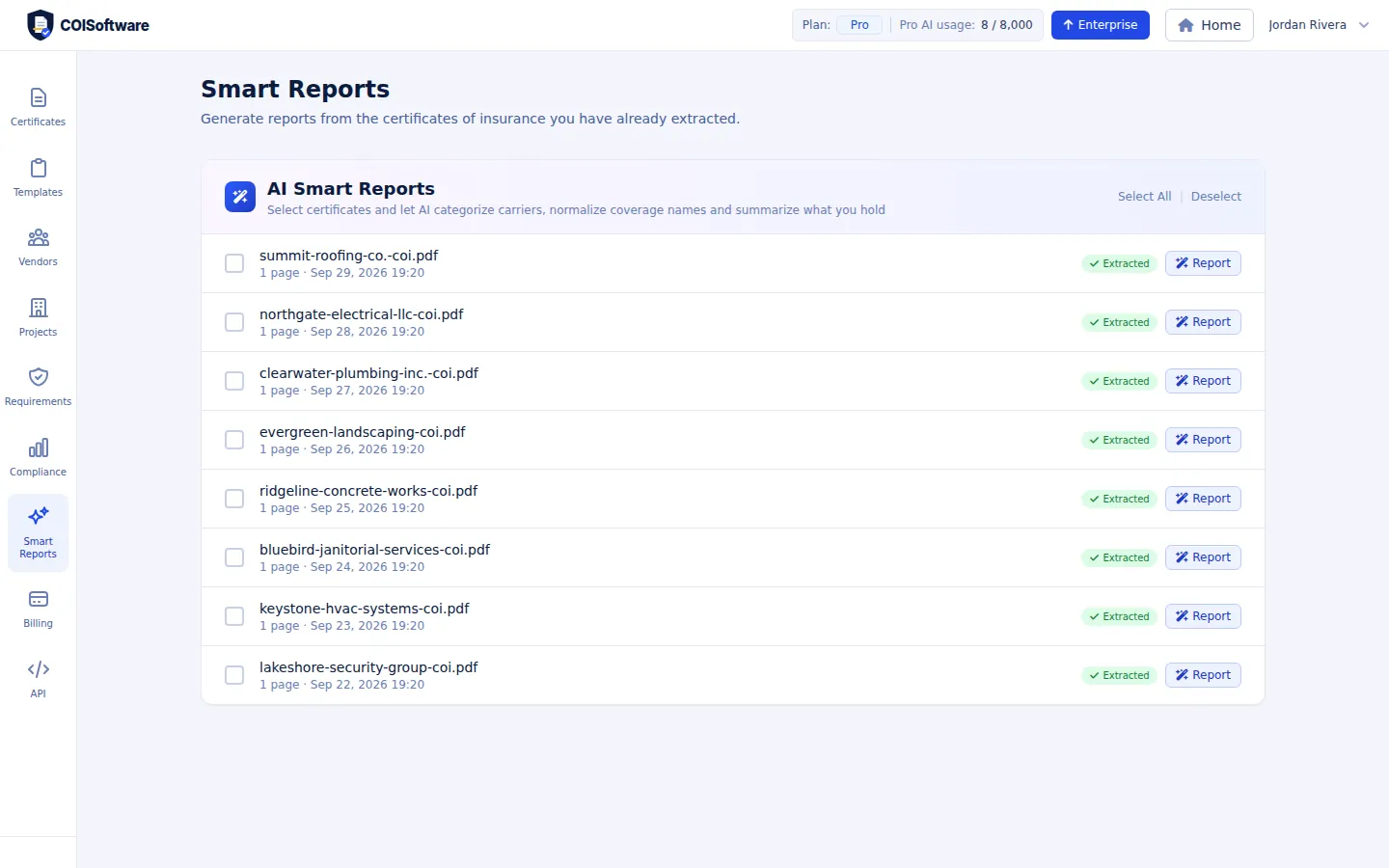
Smart Reports group coverage by type and normalize carrier names. Export vendor lists and certificate data to Excel or CSV.
When someone asks for a report, you already have it. Smart Reports group the coverage by type and clean up carrier names. And everything exports to Excel or CSV, on every plan, so it drops straight into the spreadsheets and systems you already use.
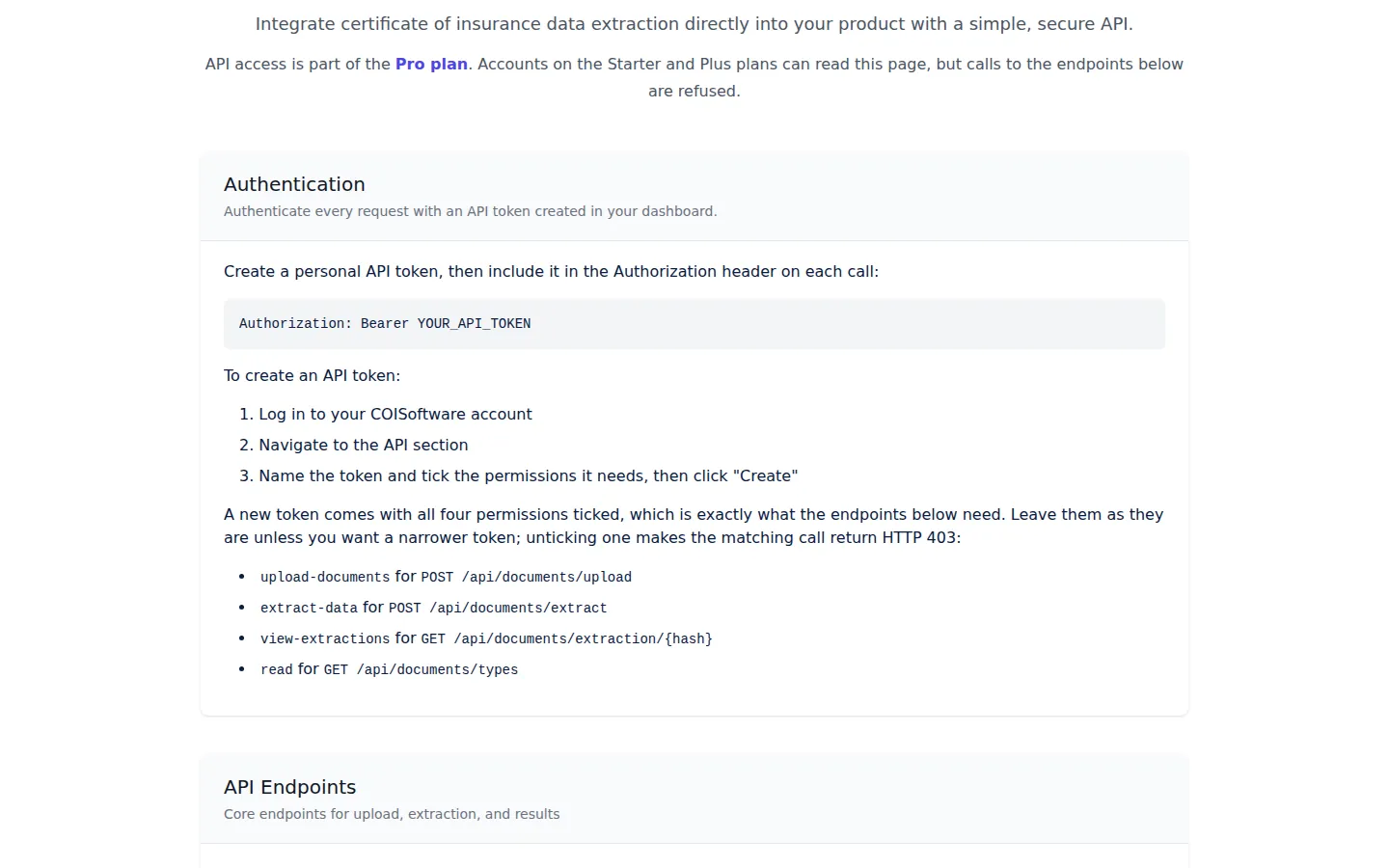
On the Pro and Enterprise plans, send a certificate to the API and read the extracted result as JSON.
If you want certificates to flow in from your own software, the Pro and Enterprise plans include an API. Create a token, post a certificate, and read the extracted result back as structured data. The documentation is public, so your developers can read it before you decide.
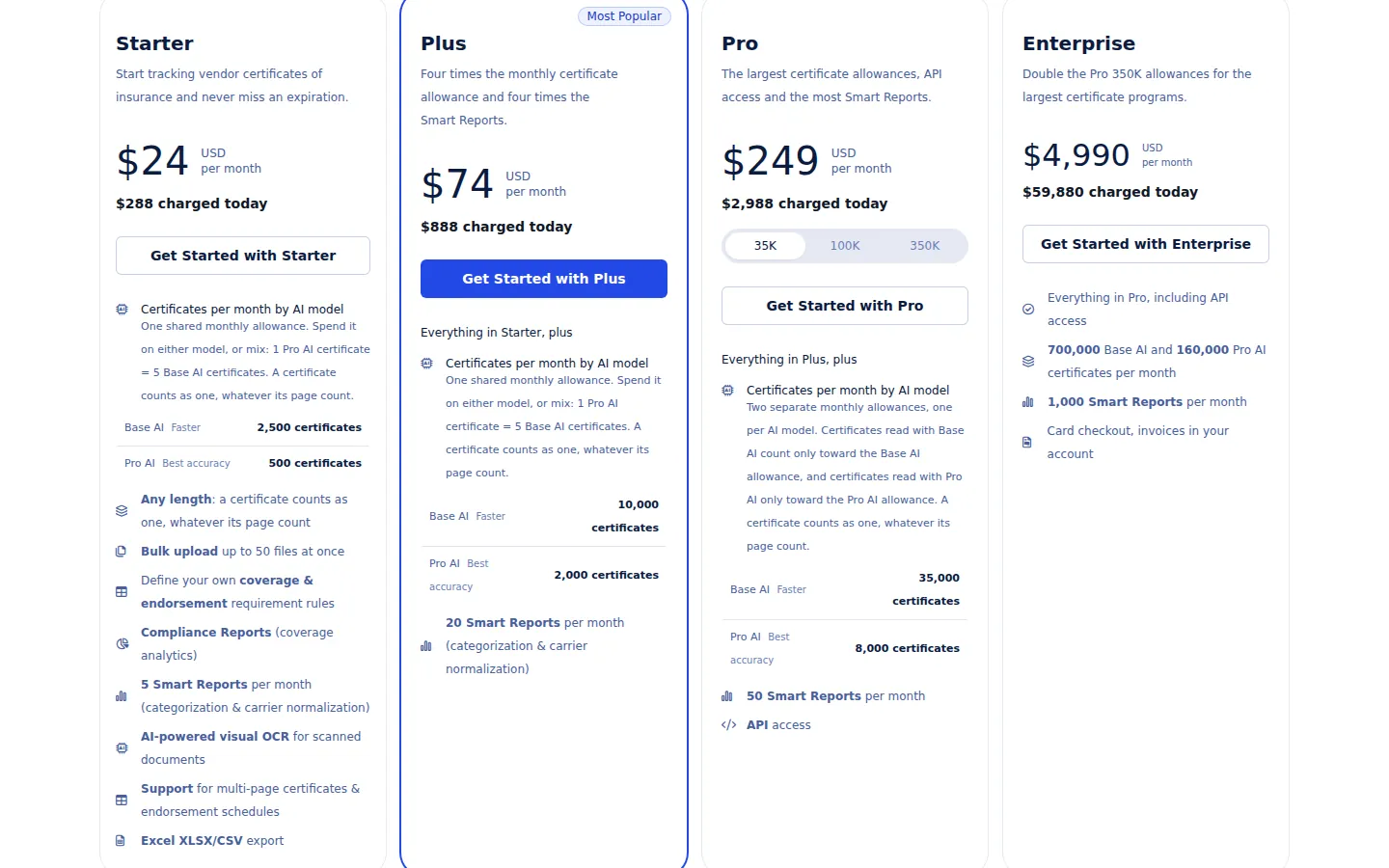
Starter begins at $24 a month billed yearly. Larger vendor lists move up to Plus, Pro or Enterprise.
Pricing is on the page, no sales call needed. Starter begins at twenty four dollars a month when billed yearly, and larger vendor lists move up to Plus, Pro or Enterprise. The best next step is the simplest one: upload your own certificate and see what it finds.
Audio is unavailable for this step. You can read the captions and continue with the tour.
You have reached the end of the tour.
No credit card required. New accounts start with a one-time demo of 10 documents.
Start tracking vendor certificates of insurance and never miss an expiration.
USD
per month
per month
$288 charged today
One shared monthly allowance. Spend it on either model, or mix: 1 Pro AI certificate = 5 Base AI certificates. A certificate counts as one, whatever its page count.
| Base AI Faster | 2,500 certificates |
| Pro AI Best accuracy | 500 certificates |
Four times the monthly certificate allowance and four times the Smart Reports.
USD
per month
per month
$888 charged today
One shared monthly allowance. Spend it on either model, or mix: 1 Pro AI certificate = 5 Base AI certificates. A certificate counts as one, whatever its page count.
| Base AI Faster | 10,000 certificates |
| Pro AI Best accuracy | 2,000 certificates |
The largest certificate allowances, API access and the most Smart Reports.
USD
per month
per month
$ charged today
Two separate monthly allowances, one per AI model. Certificates read with Base AI count only toward the Base AI allowance, and certificates read with Pro AI only toward the Pro AI allowance. A certificate counts as one, whatever its page count.
| Base AI Faster | certificates |
| Pro AI Best accuracy | certificates |
Double the Pro 350K allowances for the largest certificate programs.
USD
per month
$59,880 charged today
